1. Upload the supplier file
Use a packing slip, invoice, PDF, CSV, Excel file, or readable product photo that includes barcode, UPC, EAN, SKU, or style information.
Inventory updates for Shopify
Catalog Intake matches supplier rows from packing slips, invoices, PDFs, CSVs, Excel files, and product photos to existing Shopify variants by barcode, UPC, EAN, or SKU, then lets you review received quantities before inventory is updated.
Workflow
Supplier documents often contain received quantities and identifiers. Catalog Intake separates the match method, quantity mode, and final inventory push so the merchant can review each decision.
Use a packing slip, invoice, PDF, CSV, Excel file, or readable product photo that includes barcode, UPC, EAN, SKU, or style information.
Catalog Intake compares strong identifiers first, especially barcode and SKU. Supplier style number, title, vendor, variant options, and Store Profile context can help a merchant review uncertain rows.
Merchants approve which rows update inventory, which quantity mode applies, which rows create draft products, and which rows need cleanup.
Example
For packing slips and invoices, the common workflow is add received quantity. A row with quantity 12 matched to an existing barcode can add 12 units to the current Shopify variant after review. A row without a barcode should rely on SKU or explicit merchant confirmation before inventory is updated. Replacement inventory should be used only when the supplier file represents a final stock count.
Proof
Barcode matching is useful because it prevents duplicate products while still keeping the merchant in control of inventory changes.
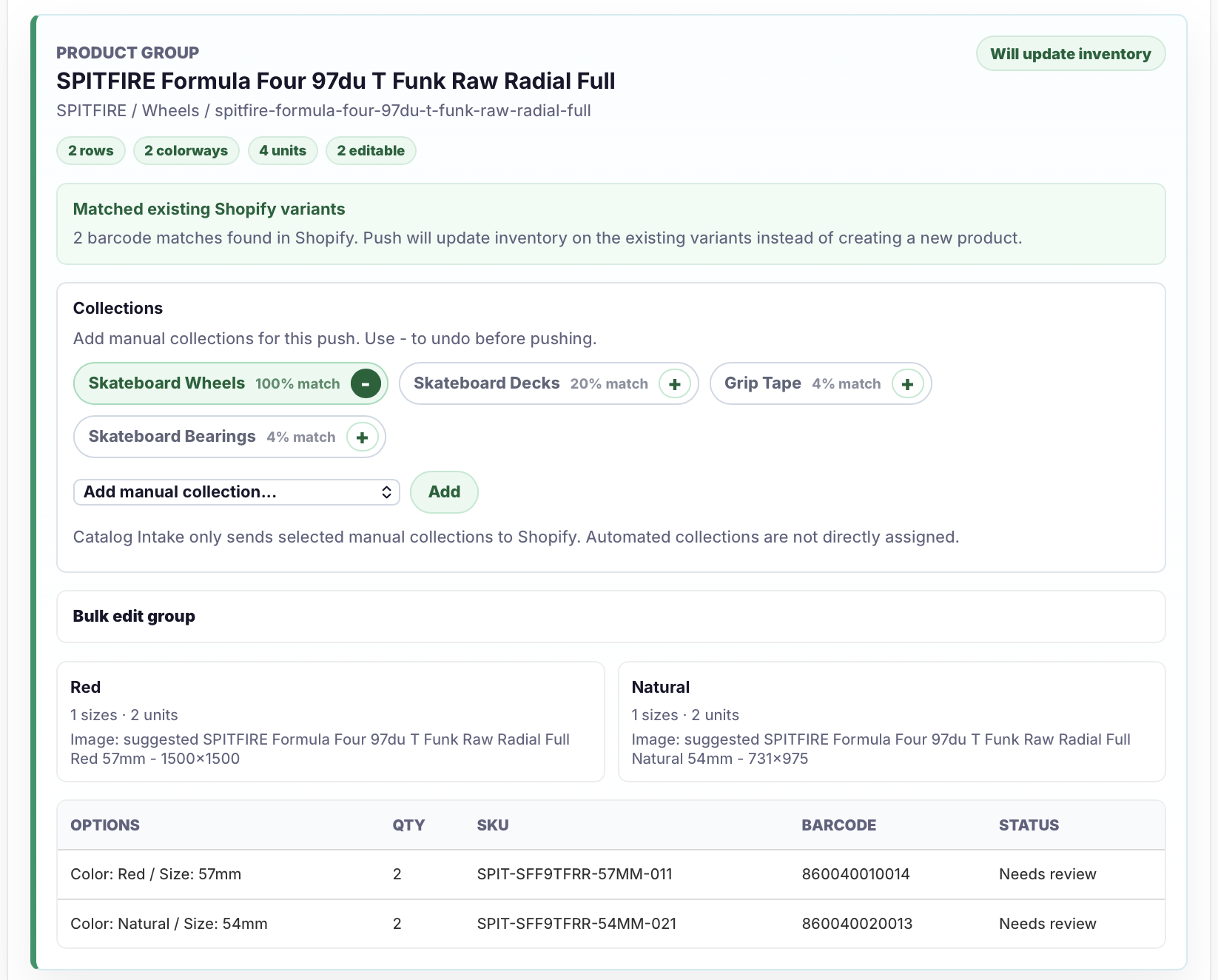
The review screen shows barcode matches, matched Shopify variants, variant rows, quantities, images, and manual collection selections before push.
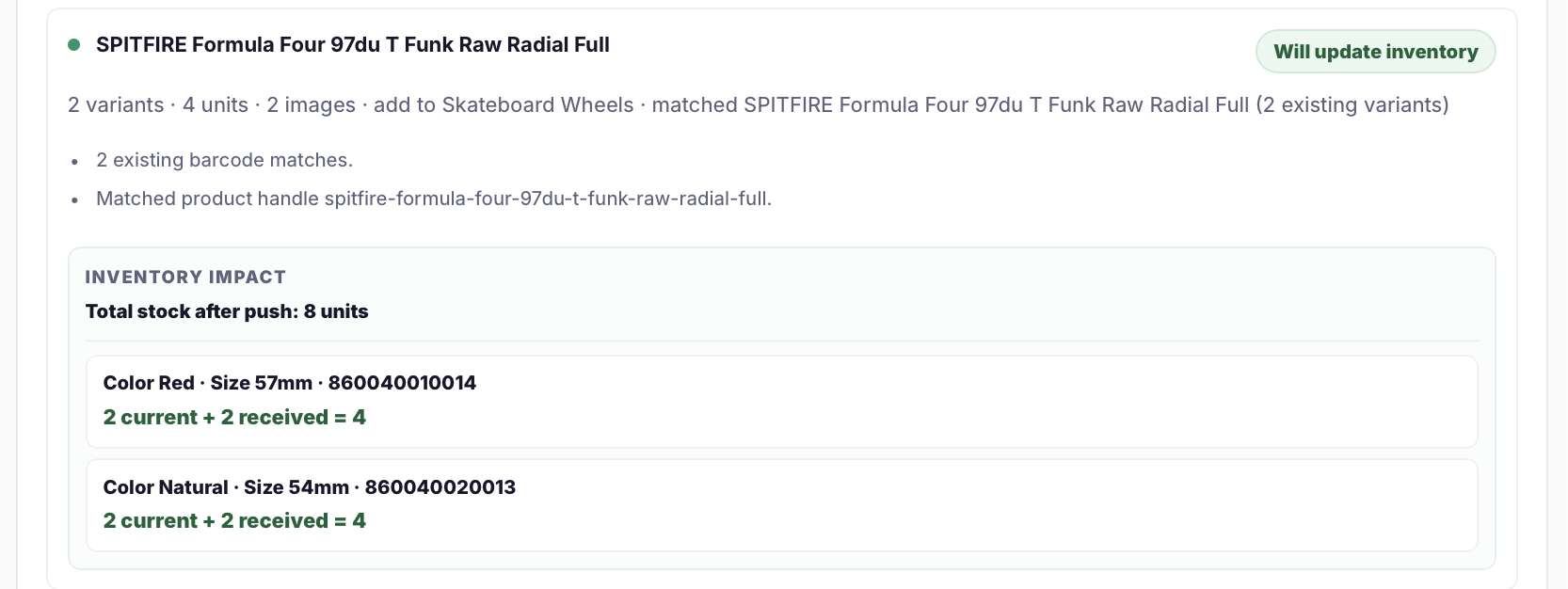
Before pushing, merchants can review current quantity, received quantity, barcode values, and the expected stock total for each matched variant.
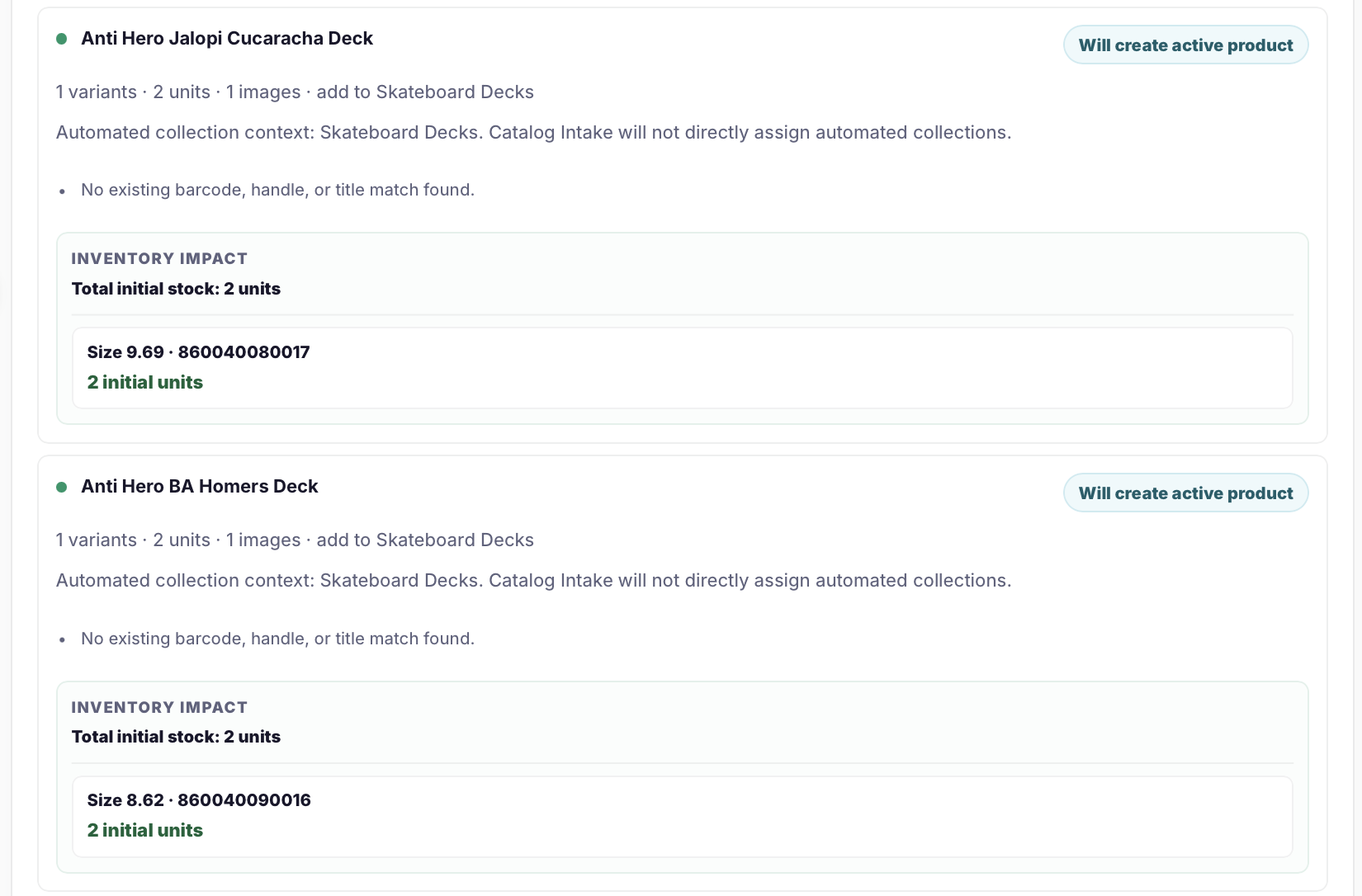
Rows without an existing barcode, handle, or title match can stay in the product creation path instead of being treated as inventory updates.
Safeguards
Inventory changes are high-impact, so Catalog Intake keeps the match and quantity visible before Shopify is changed.
Related pages
FAQ
Yes. If an approved supplier row matches an existing Shopify variant by barcode, UPC, EAN, or SKU, it can update inventory instead of creating a duplicate product.
For invoices and packing slips, the safer default is usually add received quantity. Replacement inventory should be used only when the file represents a final stock count.
Yes, but it should rely on SKU or explicit merchant confirmation. Supplier style number, product title, vendor, variant options, and Store Profile context can help review, but should not trigger an automatic inventory update by themselves.
The row can be flagged for review or cleanup. Merchants can edit, reject, or approve rows before any Shopify push.
Upload the supplier document, confirm the match method, approve the received quantities, and push only the inventory updates you trust.