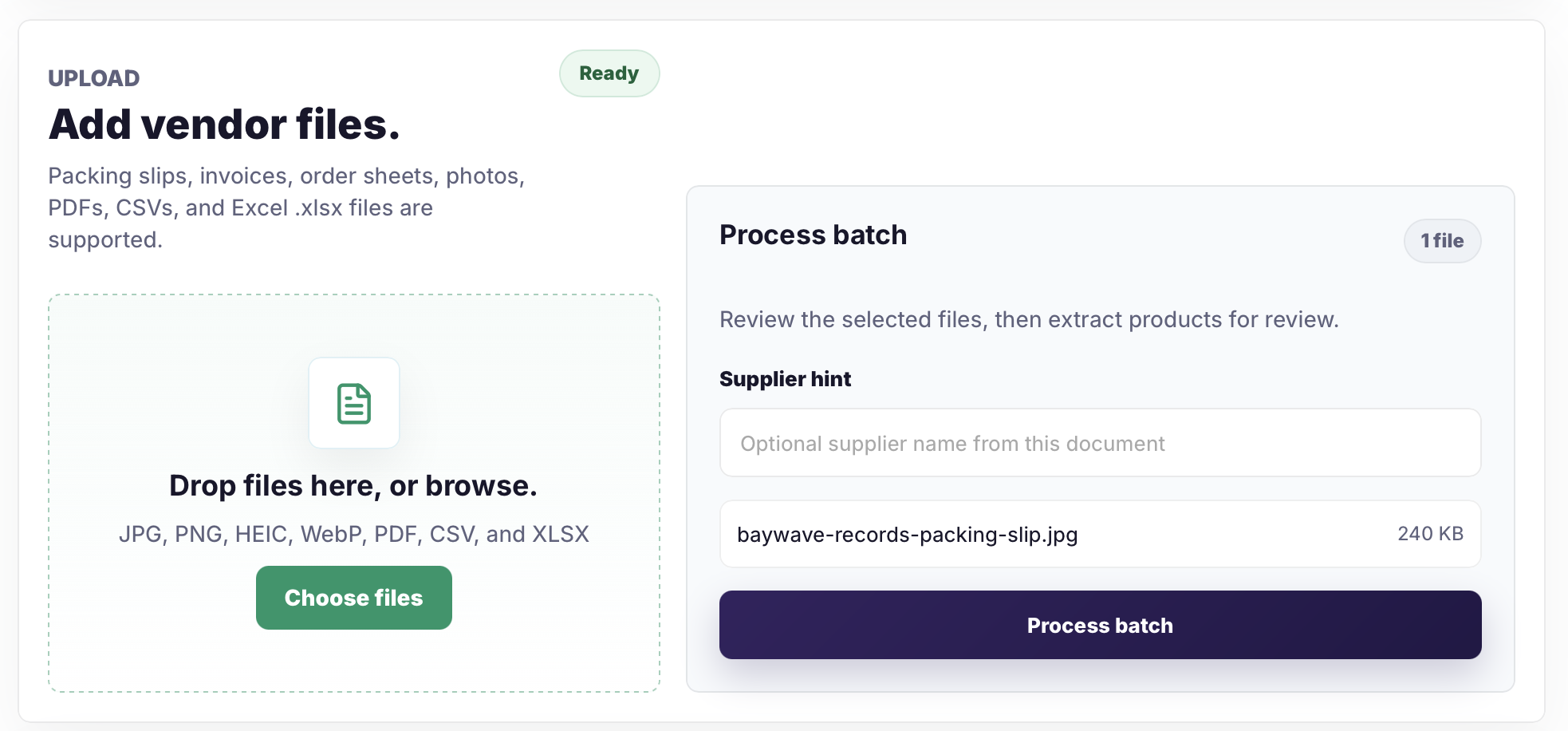
1. Upload the vendor packing slip
Upload the vendor file as-is. Catalog Intake supports packing slips, invoices, order sheets, photos, PDFs, CSVs, and Excel .xlsx files.
Packing slip import
Turn vendor packing slips, invoices, shipment photos, PDFs, CSVs, and Excel .xlsx files into reviewed Shopify product and inventory rows. Catalog Intake extracts identifiers, variants, quantities, pricing signals, and Shopify Files image matches so merchants can approve the right Shopify action before anything is pushed.
Before, review, result
Follow one shipment from upload through row review, active-product creation, barcode inventory updates, and final Shopify confirmation.
Upload the vendor file as-is. Catalog Intake supports packing slips, invoices, order sheets, photos, PDFs, CSVs, and Excel .xlsx files.
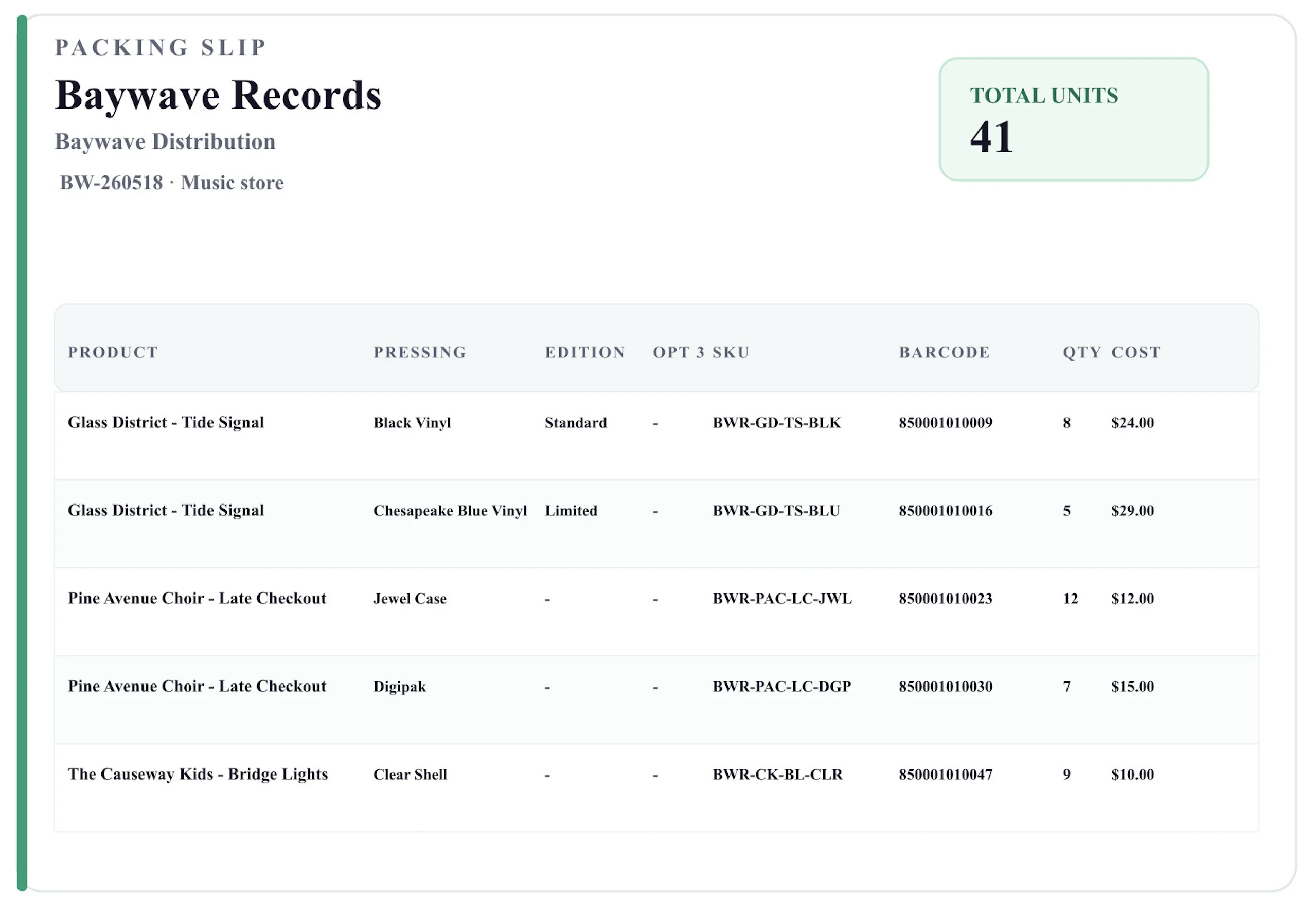
The source packing slip includes product names, variants, SKUs, barcodes, received quantities, and cost values, but not retail prices.
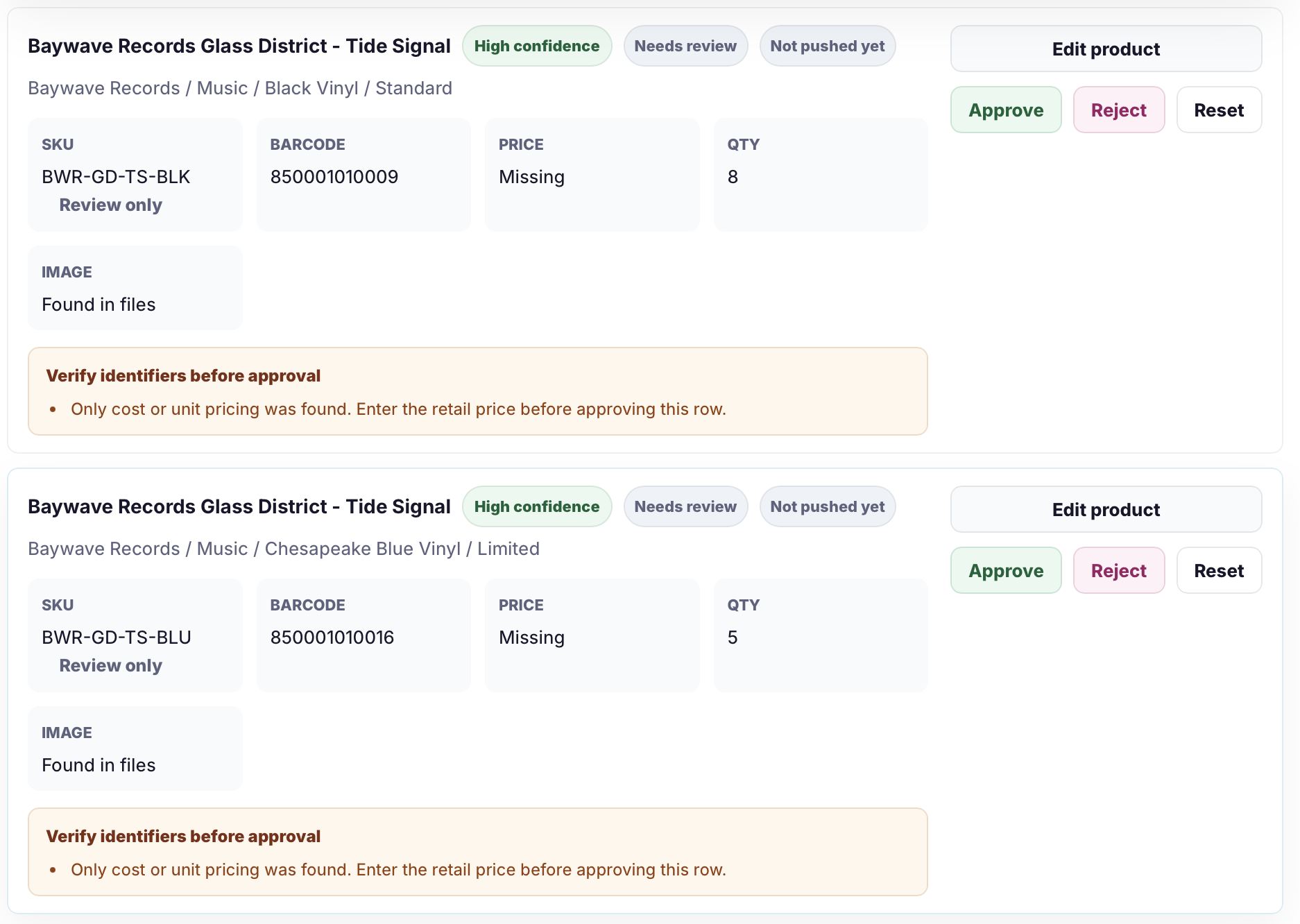
Because the packing slip only showed cost, Catalog Intake flags each row for review instead of letting missing prices slip into Shopify.
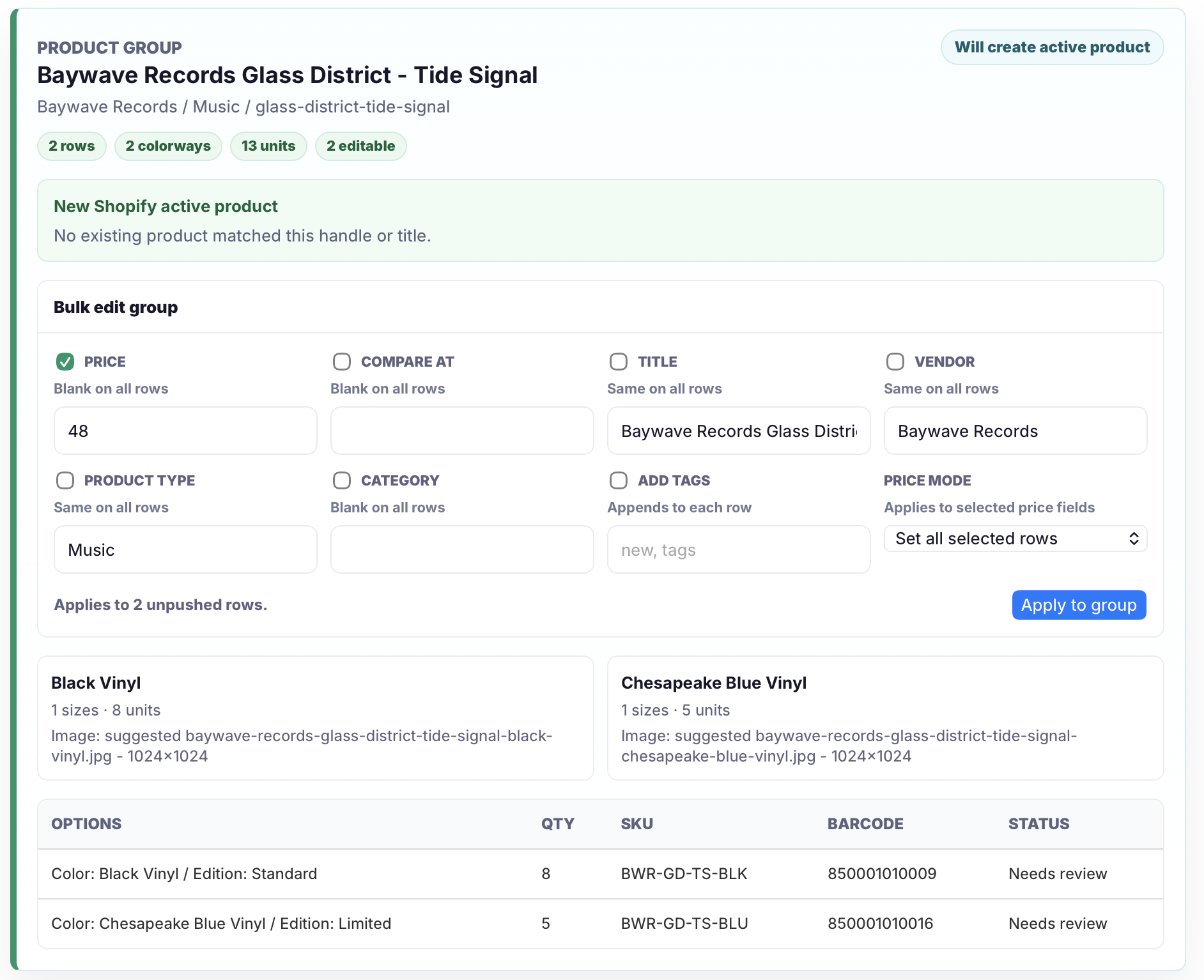
Use the group bulk editor to set the retail price once across matching rows before approval.
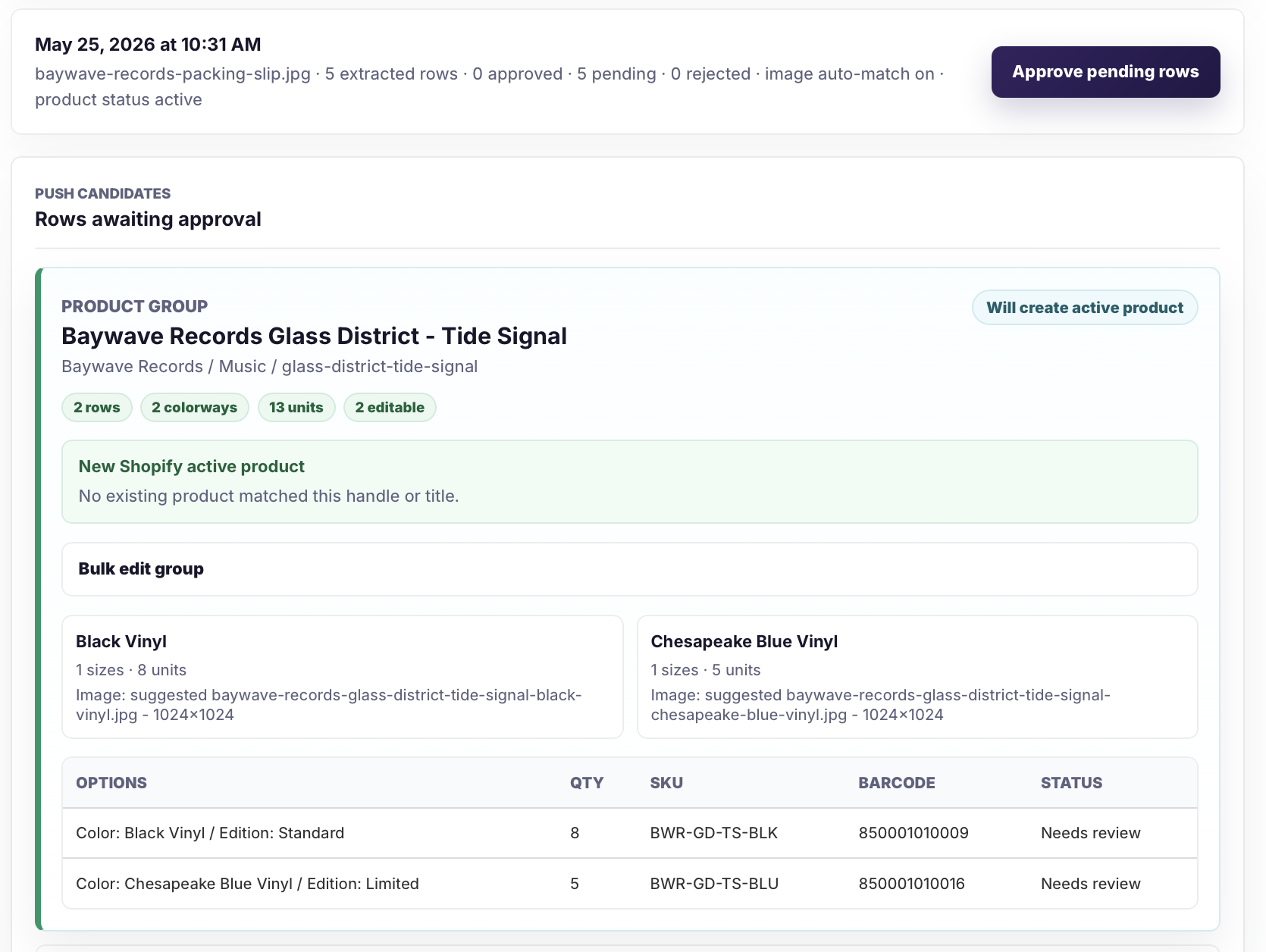
Catalog Intake groups variants, shows the active-product action, totals units, and suggests Shopify Files images using product title, SKU, and colorway criteria.
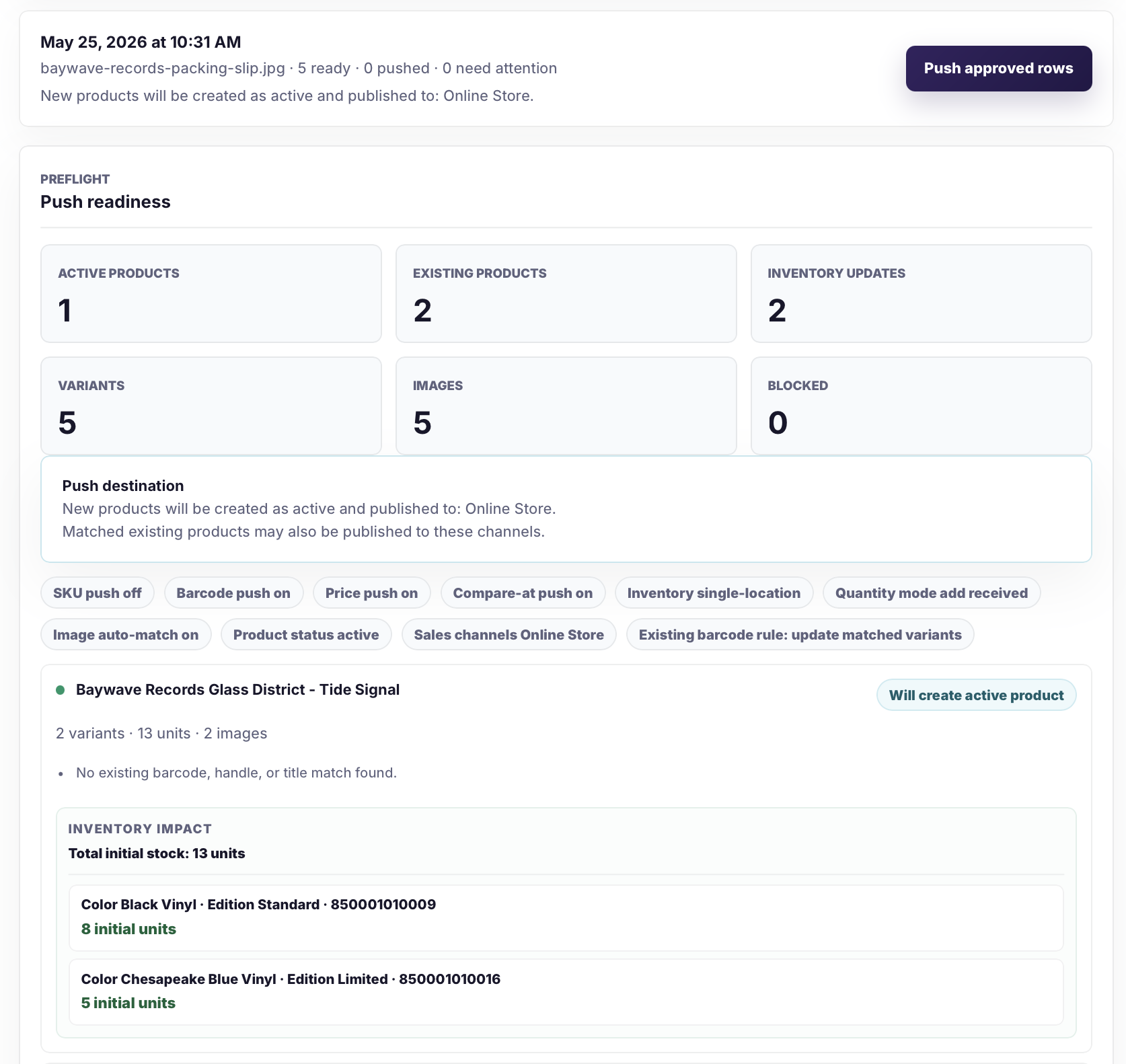
Before anything is sent to Shopify, Catalog Intake shows new products, matched existing products, inventory updates, variants, images, and the selected sales channel destination.
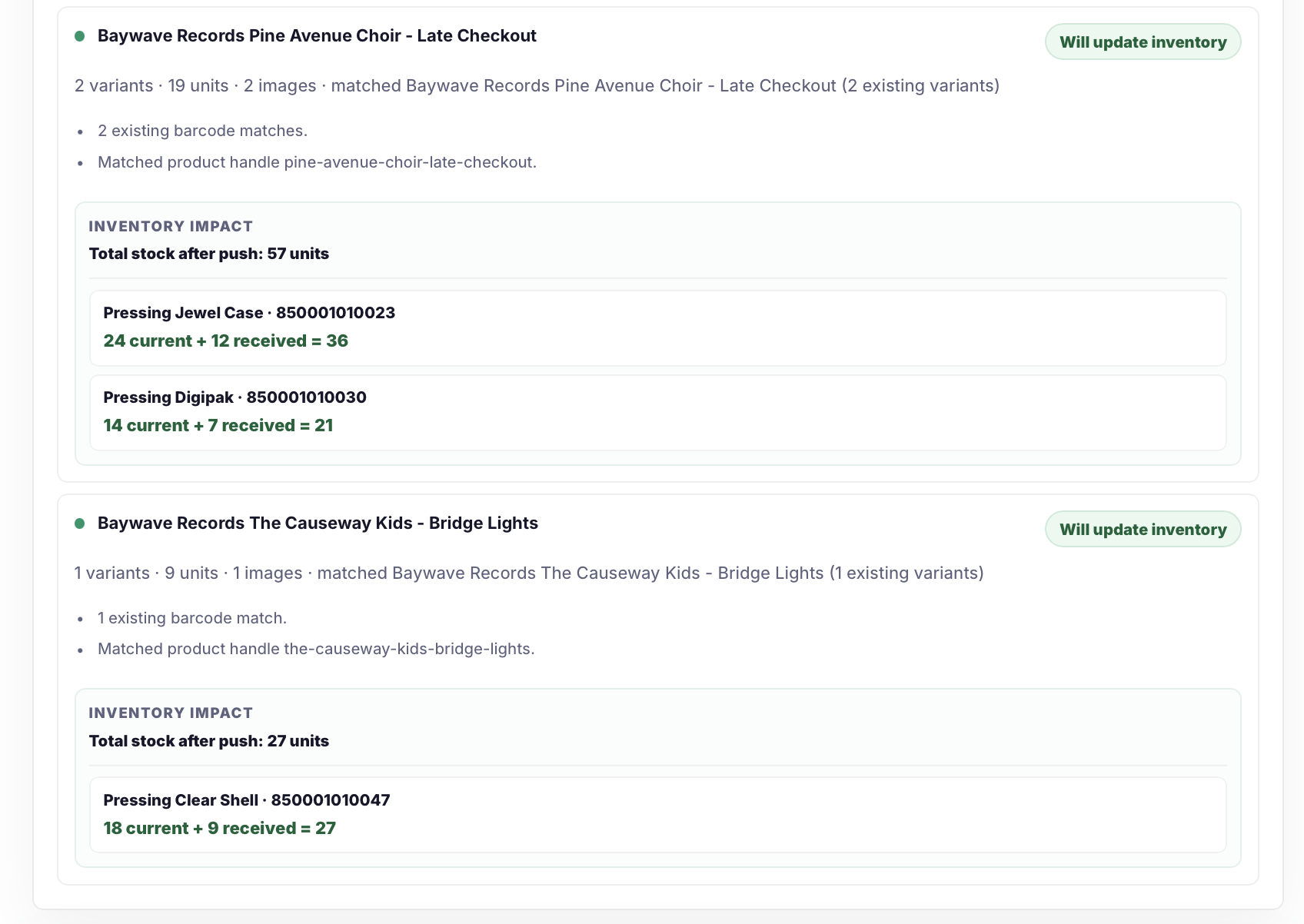
Rows that match existing Shopify variants by barcode update inventory instead of creating duplicate products, with current, received, and resulting stock shown before push.

After the push, Shopify shows the newly active product and matched existing products with updated inventory, product details, channels, and imagery.
Final storefront result
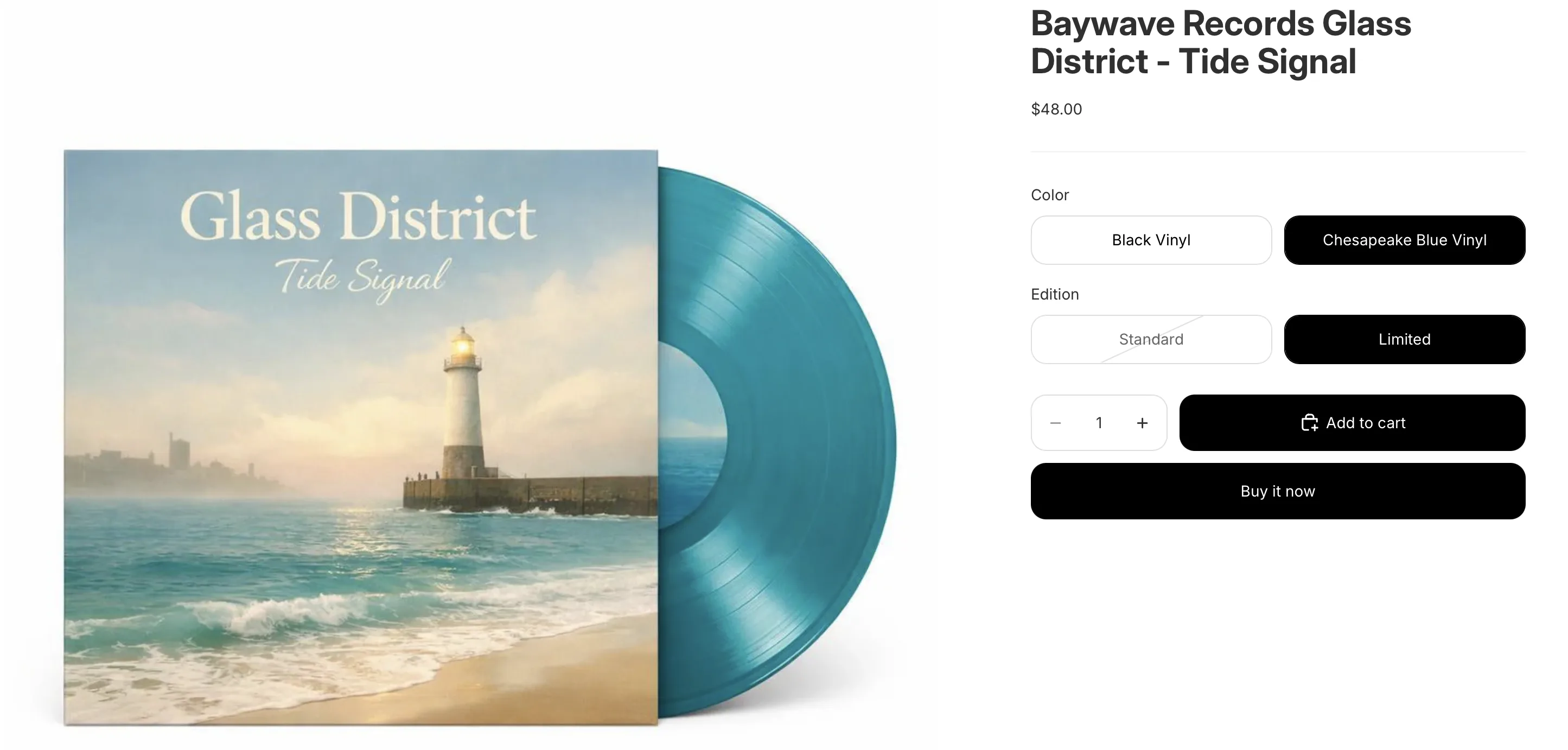
In this example, related product images were already loaded into Shopify Files. Catalog Intake suggested likely image matches during review, and the approved product launched with the correct media attached.
Why review matters
A shipment document may have the product name, vendor, SKU, barcode, color, size, and received quantity. It may still miss descriptions, exact categories, retail prices, or clean variant structure. Catalog Intake handles the extraction and grouping work, then calls out the rows that need human review before anything is pushed.
Real vendor paperwork
Retailers often receive only the paperwork that came with the shipment: a packing slip in the box, an invoice by email, a PDF order confirmation, an Excel .xlsx file, a printed pick sheet, or a vendor portal export that was never designed for Shopify.
Catalog Intake is built for that reality. If the paperwork has enough identifiers, the app prepares review-ready product or inventory rows. If the source is incomplete, it keeps the usable details and flags the missing fields before anything is pushed.
FAQ
Yes. Merchants can upload packing slip photos or scans when the table text, SKU, barcode, quantity, and price information is readable.
Sometimes. A packing slip can create review-ready product candidates when it includes enough product data, such as vendor, product name, SKU or style number, barcode, color, size, and received quantity. If important fields are missing, Catalog Intake flags the row for review instead of treating the slip as perfect product data.
Catalog Intake still extracts what it can, then marks rows that need attention, such as missing barcodes, missing SKUs, unclear sizes, missing color, ambiguous prices, or rows that should update inventory instead of creating a new product.
No. Packing slip rows go to a review queue first. Merchants approve the rows they want to send to Shopify before products or inventory updates are pushed.
Yes. When an extracted row matches an existing Shopify variant by barcode, Catalog Intake can update inventory instead of creating a new product.
Yes. Store settings control whether products are created as drafts or active products. When active publishing is enabled, merchants can select Shopify sales channels before pushing.
Install Catalog Intake from Shopify, upload a packing slip, review the extracted rows, and push approved products or inventory updates when the batch is ready.