1. Extract product rows
Catalog Intake reads supplier files and prepares product groups, variants, identifiers, pricing evidence, images, and tags.
Draft product creation from supplier files
Catalog Intake lets you turn supplier PDFs, invoices, packing slips, CSVs, Excel files, and product photos into draft Shopify products so products, variants, images, tags, prices, barcodes, and inventory can be reviewed before they reach your storefront.
Workflow
Supplier files usually mix product facts, purchasing information, and missing fields. Catalog Intake prepares review-ready Shopify decisions.
Catalog Intake reads supplier files and prepares product groups, variants, identifiers, pricing evidence, images, and tags.
Merchants review uncertain rows, fix missing data, confirm image matches, and approve the draft product plan.
Approved new products can be created as Shopify drafts so the merchant can continue merchandising before publishing.
Example
A supplier spreadsheet with three color variants can become one draft Shopify product with variant options, SKUs, barcodes, suggested images, tags, product type, and received inventory. Existing barcode matches can be treated as inventory updates instead of duplicate drafts.
Proof
Draft creation keeps the supplier import workflow productive without bypassing merchant review.
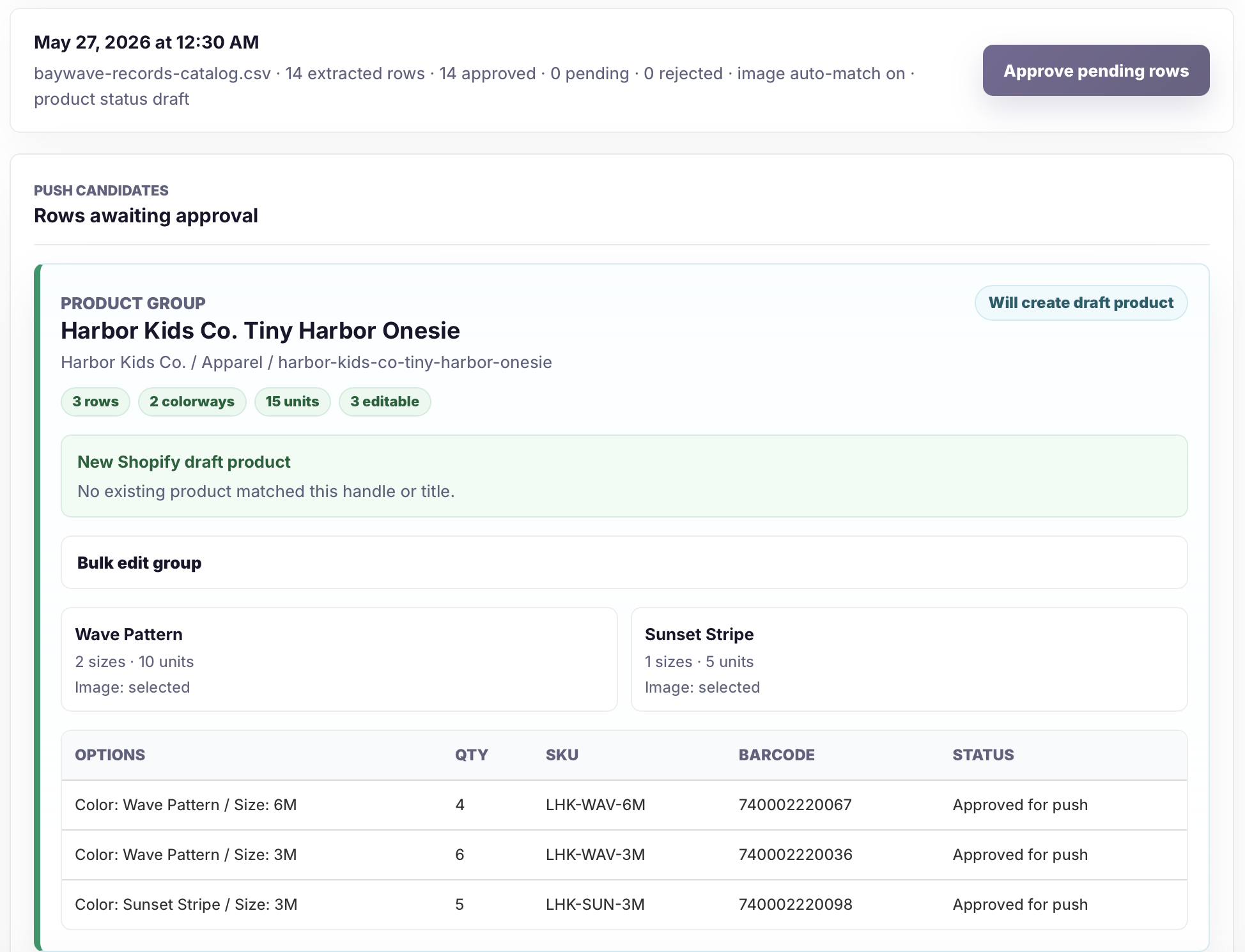
Pending rows become approved rows only after the merchant reviews product groups, identifiers, images, quantities, and warnings.
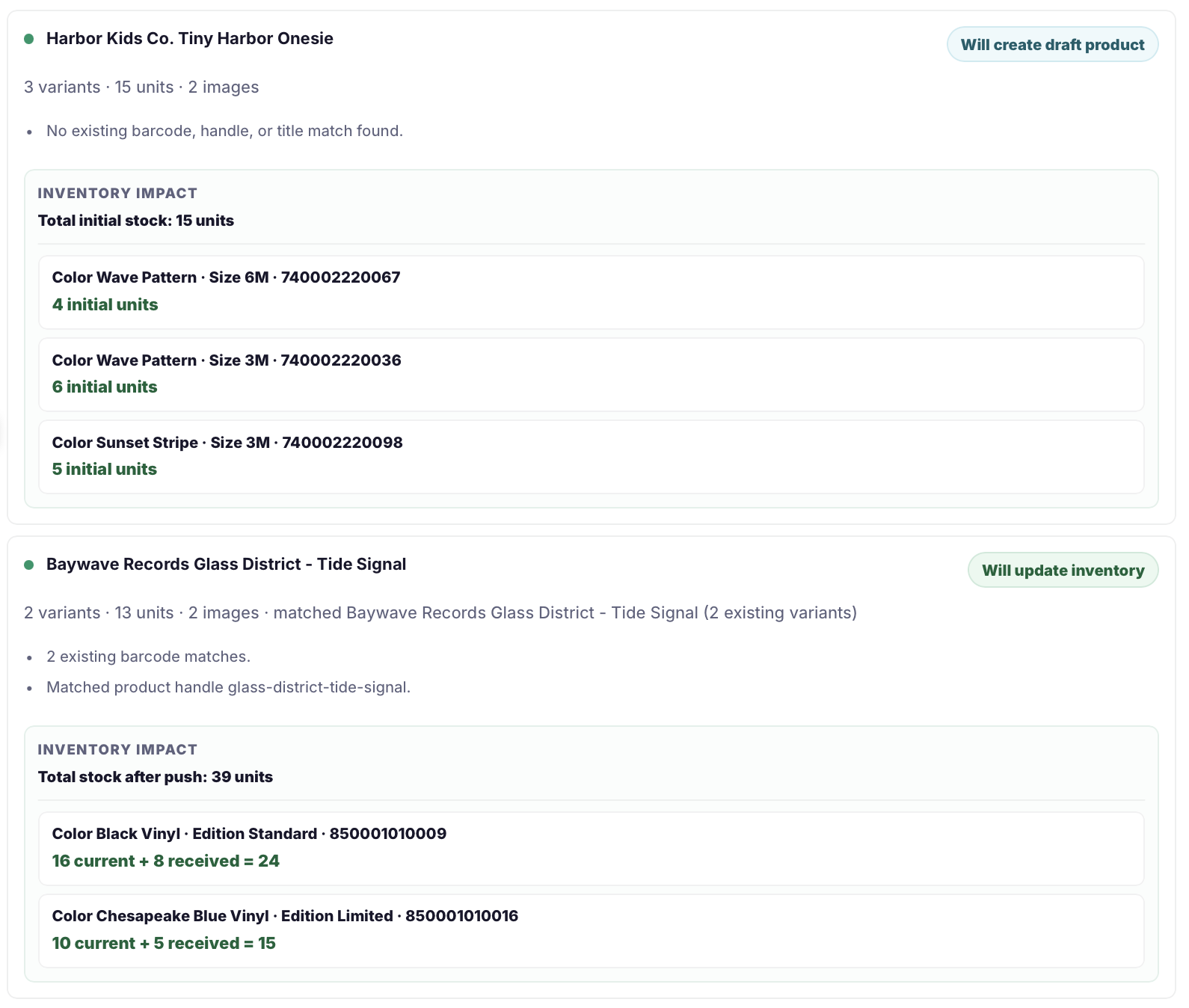
The push readiness view summarizes draft products, existing products, inventory updates, variants, images, and blocked rows.
Safeguards
Draft products are safer because they give merchants another review point before storefront publication.
Related pages
FAQ
Yes. Approved new product rows can be pushed as Shopify drafts so merchants can review and finish merchandising before publishing.
Yes. If a supplier row matches an existing Shopify variant by barcode or another strong identifier, it can update inventory instead of creating a duplicate draft.
Yes. Merchants review prices and warnings before push. Invoice cost is not treated as retail price unless retail evidence is clear.
Upload the file, review the prepared Shopify data, and create only the draft products that are ready for your catalog.