1. Confirm the source file
Identify whether the file is a packing slip, invoice, CSV, Excel file, PDF, product sheet, line sheet, or photo. Note whether it contains retail prices, unit costs, received quantities, UPCs, SKUs, and image references.
Shopify product import checklist
Before supplier rows become Shopify products or inventory updates, merchants should confirm the source file, product grouping, variants, identifiers, pricing evidence, images, tags, inventory action, and push behavior. This checklist is built for real supplier files: PDFs, packing slips, invoices, CSVs, Excel files, product sheets, and shipment photos.
Workflow
Use this flow before pushing supplier files into Shopify, especially when the file was not built for Shopify's native importer.
Identify whether the file is a packing slip, invoice, CSV, Excel file, PDF, product sheet, line sheet, or photo. Note whether it contains retail prices, unit costs, received quantities, UPCs, SKUs, and image references.
Make sure related rows become one Shopify product with correct variants instead of separate duplicate products. Check option names such as size, color, width, format, edition, or pack.
Use barcode, UPC, EAN, or SKU as the strongest evidence for existing Shopify variants. Treat title, vendor, and style matches as review clues unless the merchant confirms them.
Do not treat invoice unit cost or wholesale cost as the Shopify selling price. Confirm MSRP, MAP, retail, or selling-price evidence before pushing a price.
Review suggested images, tags, product types, manual collection context, draft creation, active publishing settings, and inventory quantities before Shopify changes.
Example
A packing slip may include product names, SKUs, UPCs, received quantities, unit costs, and MSRP, but no Shopify handles or finished product descriptions. A safe import workflow checks barcode matches first, groups variants, confirms price evidence, creates new products as drafts, and holds unclear rows for cleanup.
Proof
Catalog Intake turns the checklist into a review workflow so the merchant can see problems before the batch is pushed.
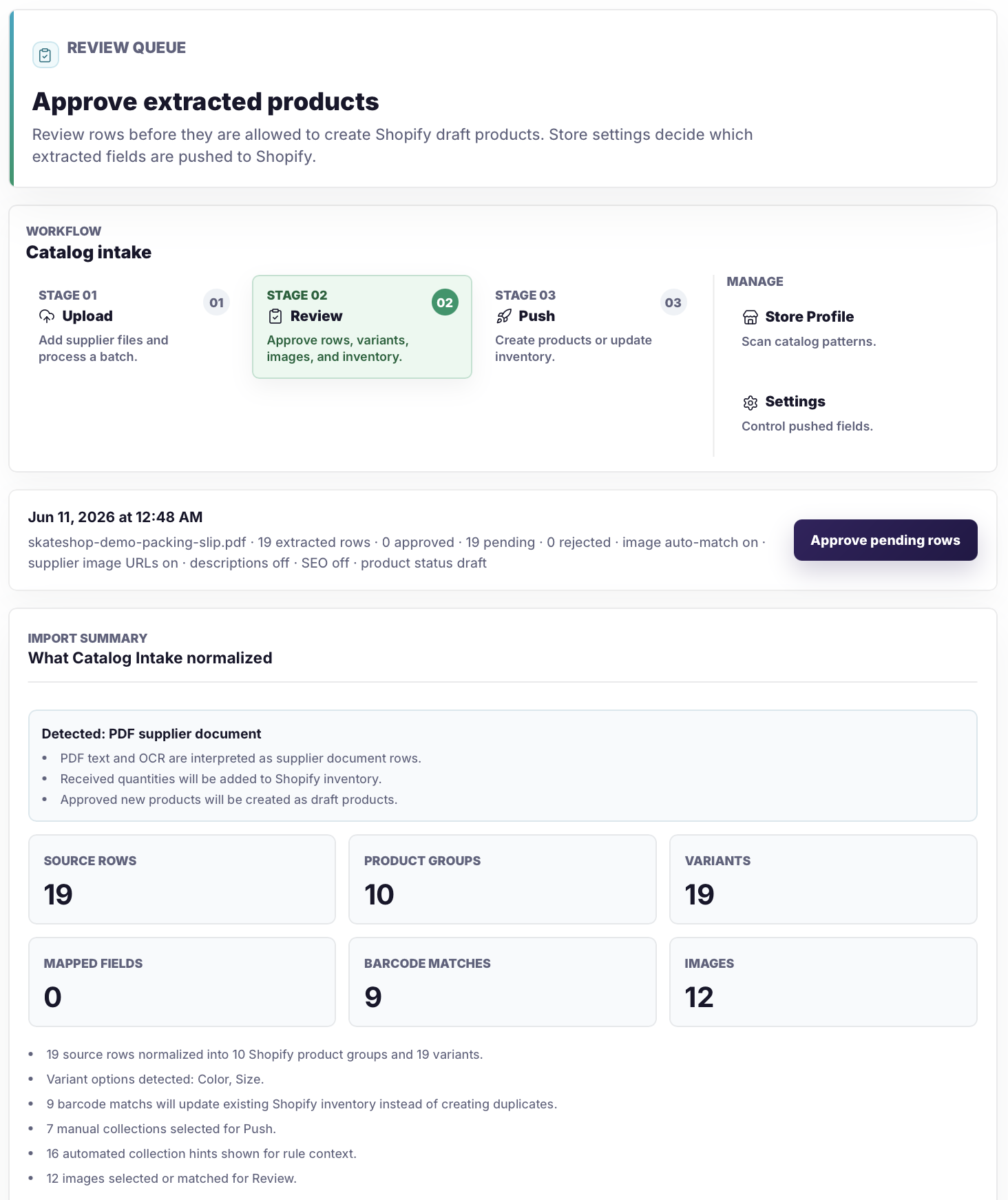
Review source rows, products, variants, images, barcode matches, warnings, and cleanup needs before approval.
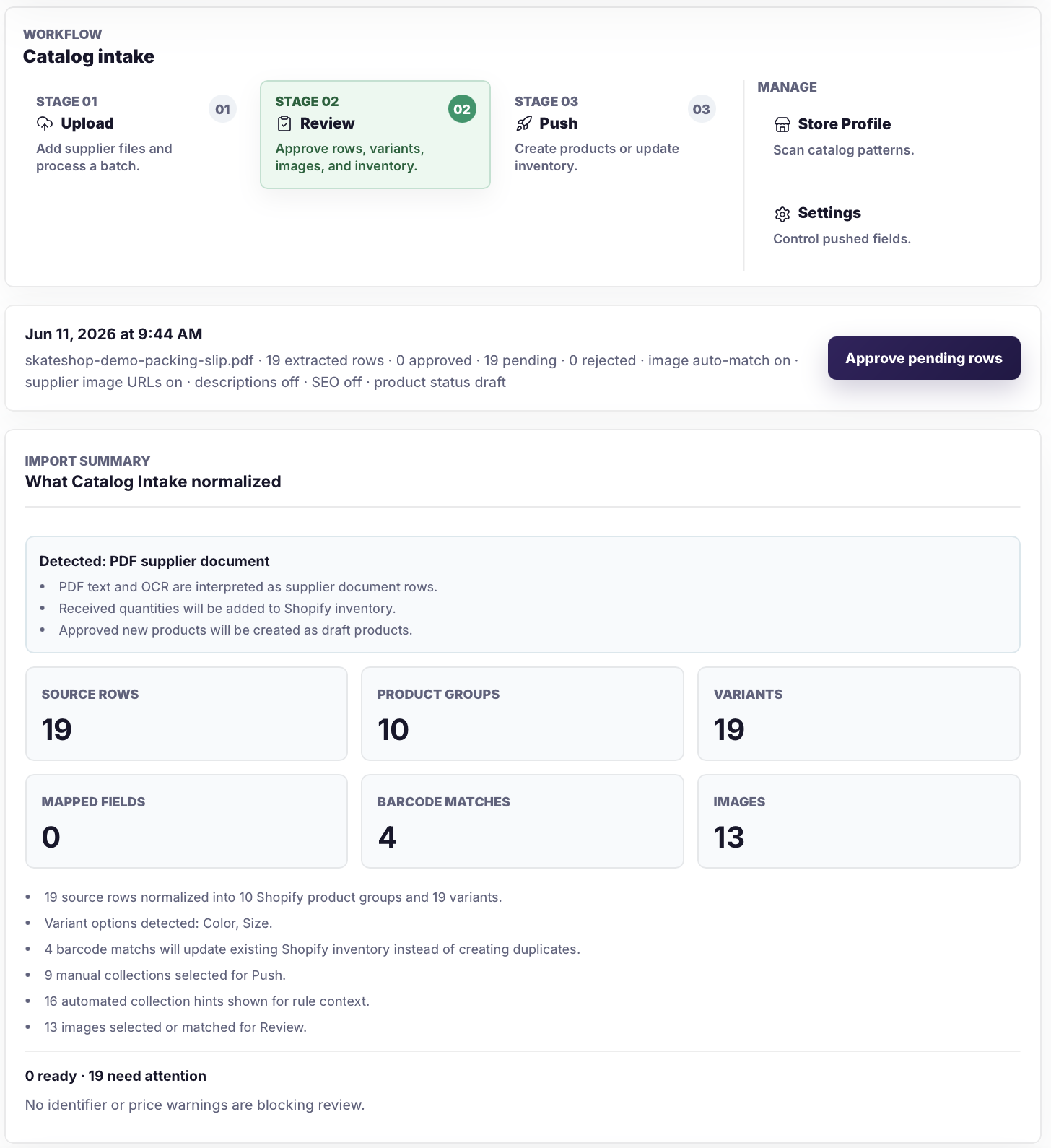
Rows with missing data, weak evidence, or import risk can stay visible instead of becoming silent Shopify catalog problems.
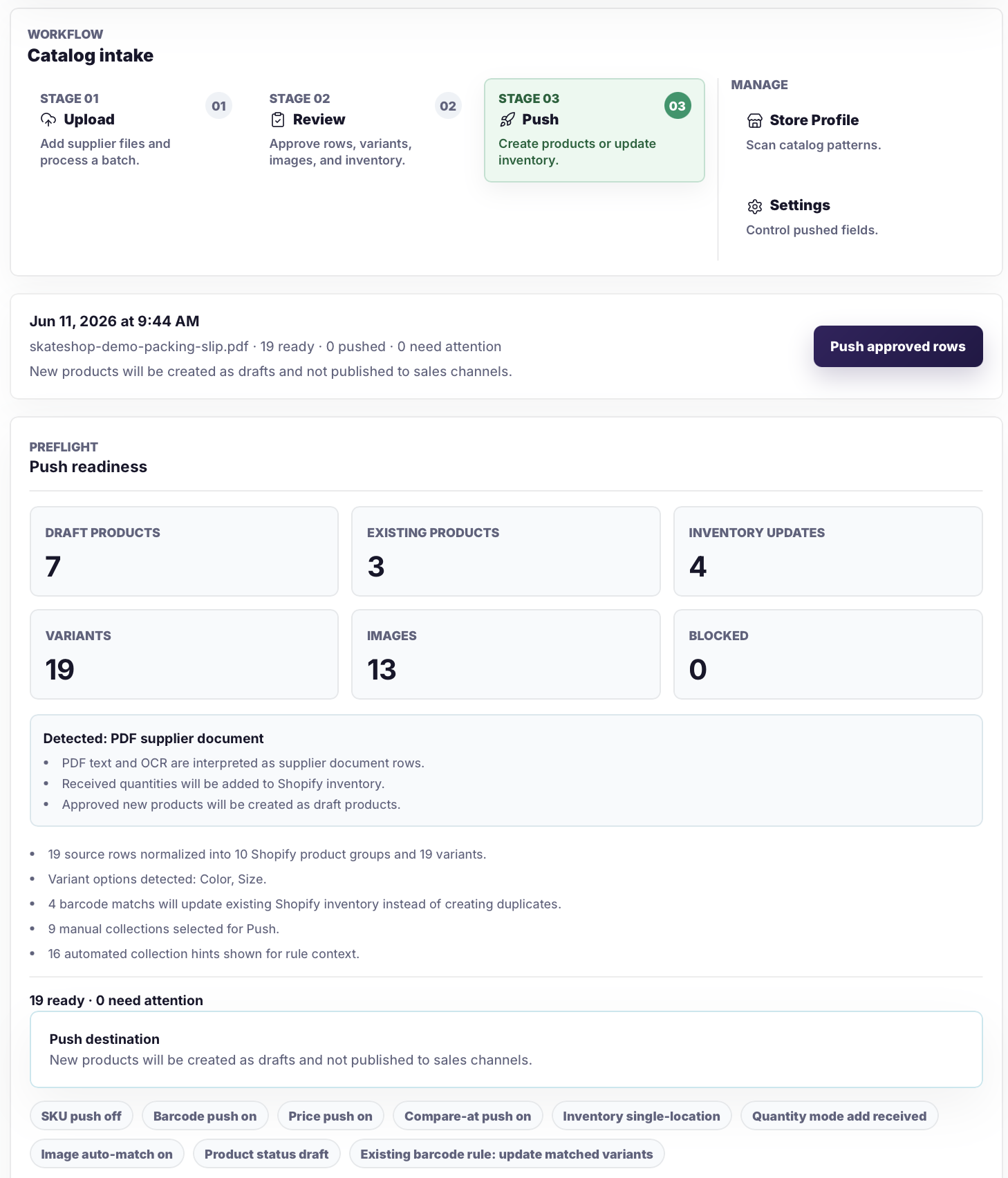
Before push, merchants can review draft products, existing products, inventory updates, variants, images, and blocked rows.
Safeguards
Supplier imports are high-risk because small mistakes create duplicate products, bad inventory counts, wrong prices, and missing media.
Related pages
FAQ
Check source type, product grouping, variants, SKUs, barcodes, pricing evidence, images, tags, inventory action, and whether each row should create a draft product or update existing inventory.
No. Invoice cost and wholesale cost should stay separate from storefront retail price unless the source clearly includes MSRP, MAP, retail, or selling-price evidence.
A row should update inventory when it matches an existing Shopify variant by strong evidence such as barcode, UPC, EAN, or SKU and the merchant approves the quantity change.
Draft products keep incomplete supplier data out of the storefront while merchants finish descriptions, images, tags, collections, and publishing decisions.
Upload the supplier file, check the prepared rows, approve the clean changes, and keep risky data out of Shopify until it is fixed.