1. Upload the vendor source
Use a line sheet, invoice, packing slip, spreadsheet, PDF, or product photo rather than rebuilding a Shopify CSV manually.
Shopify imports for apparel boutiques
Apparel boutiques lose hours turning vendor line sheets, invoices, packing slips, CSVs, Excel files, PDFs, and product photos into Shopify products with size and color variants. Catalog Intake prepares draft products, barcode matches, image suggestions, inventory quantities, costs, prices, tags, and warnings for review before push.
Workflow
Catalog Intake is designed for the step between vendor paperwork and a clean Shopify product catalog.
Use a line sheet, invoice, packing slip, spreadsheet, PDF, or product photo rather than rebuilding a Shopify CSV manually.
Inspect titles, options, SKUs, barcodes, quantities, costs, prices, image suggestions, tags, and product types before push.
Approve clean draft products for new styles and received inventory updates for existing barcode matches.
Example
A vendor file for a seasonal apparel drop might contain style numbers, colors, sizes, case packs, costs, MSRP, image filenames, and received quantities. Catalog Intake groups variants, keeps pricing evidence visible, suggests images, and lets the merchant approve the batch before Shopify is updated.
Proof
The review step is where apparel mistakes are caught: wrong size options, duplicate styles, missing barcodes, and mismatched images.
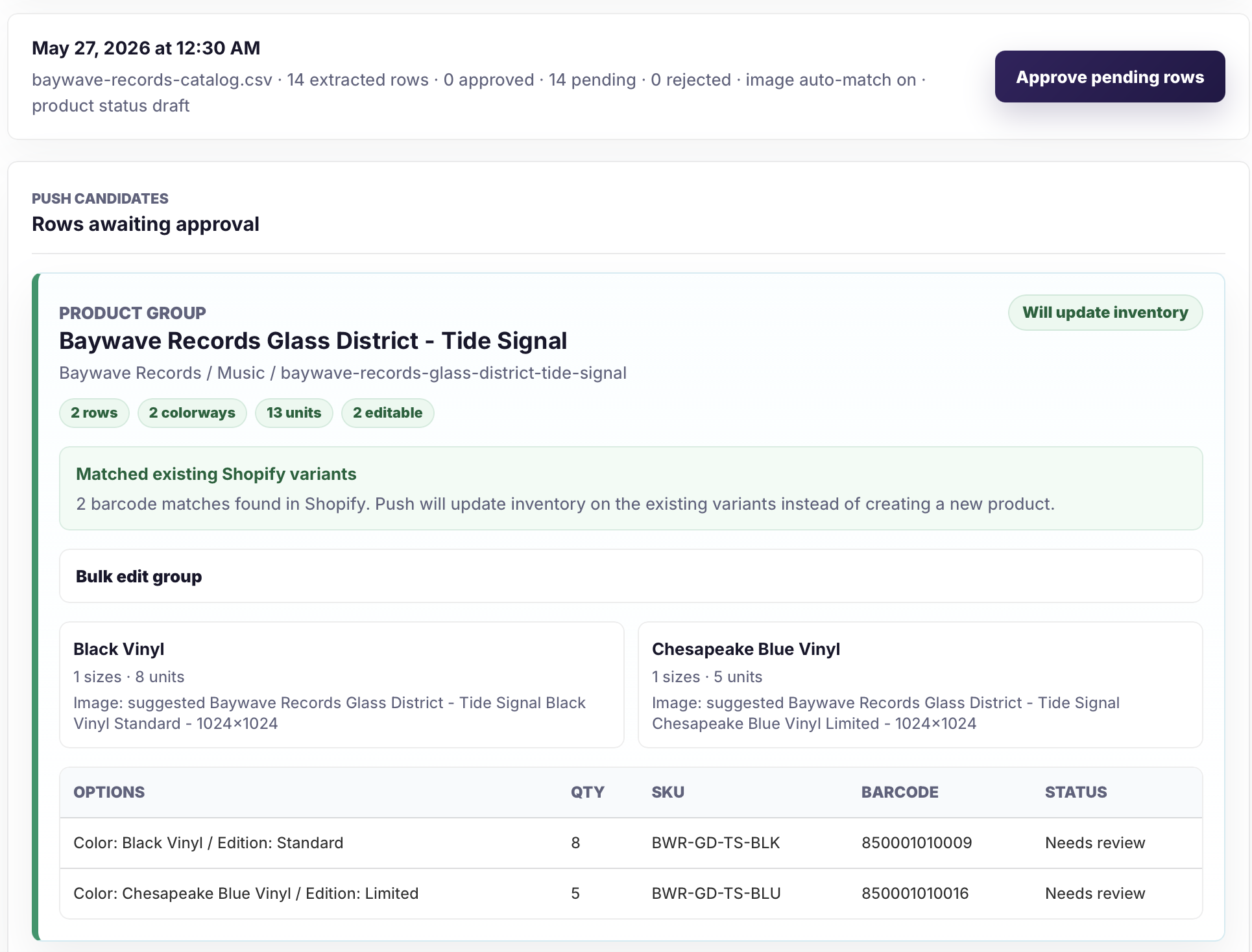
Product groups and variants stay visible with source evidence before approval.
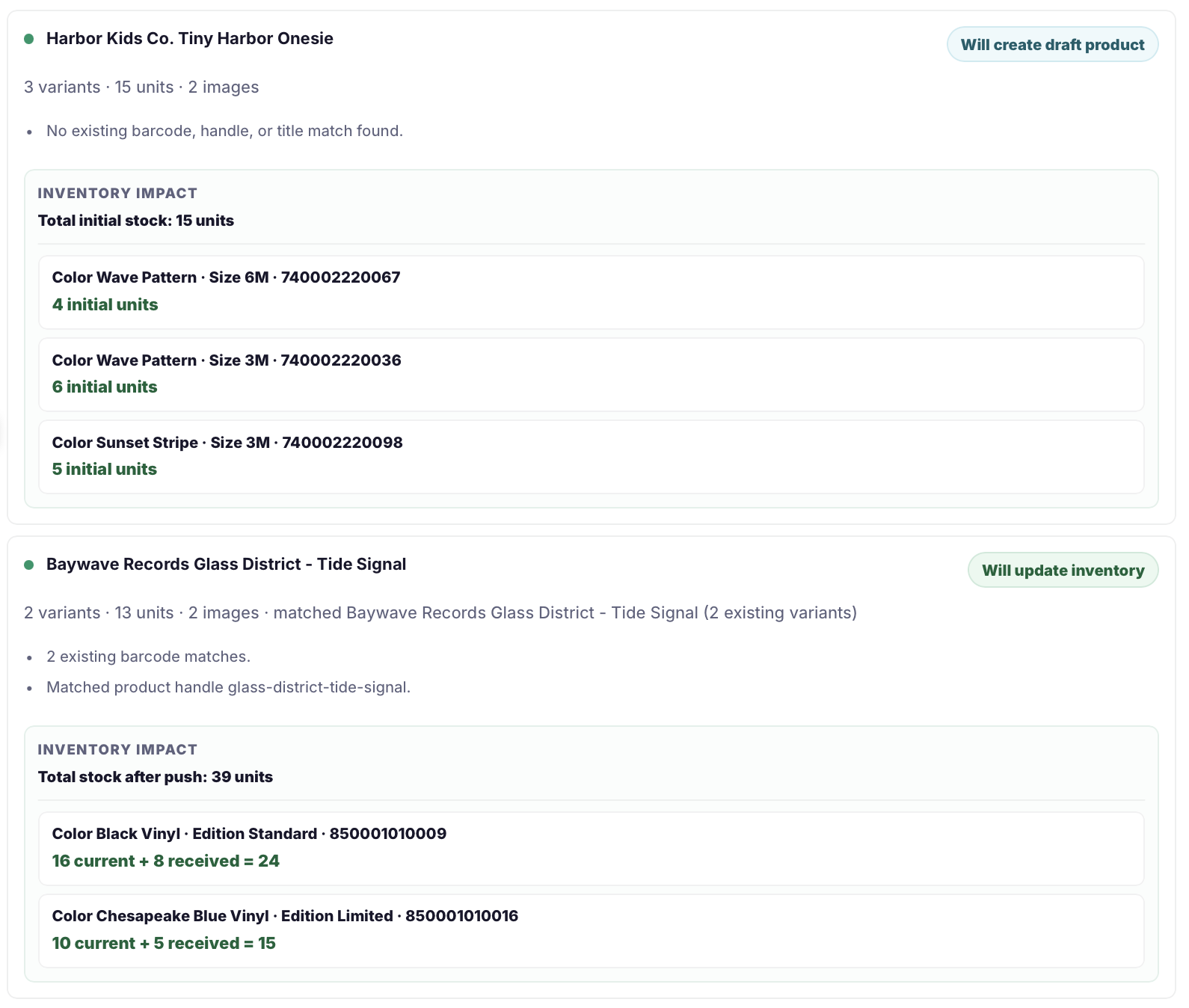
The final review summarizes draft products, existing products, inventory updates, variants, images, and blocked rows.
Safeguards
Apparel imports are risky because one style can explode into many variants and every option needs to stay aligned.
Related pages
FAQ
Yes. Catalog Intake groups product variants such as size, color, width, fit, edition, format, and other option structures for merchant review.
Yes. Draft product creation is the default so merchants can finish merchandising before publishing.
Yes. Supplier image URLs, image filenames, Shopify Files names, product titles, SKUs, barcodes, vendors, and colorway evidence can support image suggestions.
Upload the source file, review the size/color variants, approve the clean rows, and keep uncertain items out of Shopify until they are ready.