1. Upload a supplier source
Use a supplier CSV, Excel file, invoice, packing slip, PDF, product sheet, or photo that includes product names, colorways, SKUs, or image references.
Product image matching for Shopify imports
Catalog Intake helps imported products from supplier PDFs, packing slips, invoices, CSVs, Excel files, and product photos avoid missing images by matching supplier rows to Shopify Files, image filenames, alt text, product titles, vendor names, variant colors, and supplier image URLs before push.
Workflow
Images are part of the same review workflow as titles, variants, barcodes, prices, tags, and inventory.
Use a supplier CSV, Excel file, invoice, packing slip, PDF, product sheet, or photo that includes product names, colorways, SKUs, or image references.
Catalog Intake compares Shopify Files and supplier image signals against product rows and variants.
Merchants review suggested images before creating draft products, updating products, or pushing inventory changes.
Example
A supplier row for Glass District Tide Signal in Chesapeake Blue Vinyl can be matched to a Shopify Files image whose filename and alt text mention Tide Signal and blue vinyl. The suggestion is shown during Review so the merchant can approve it before push.
Proof
Catalog Intake treats images as reviewable product data, not a hidden side effect.
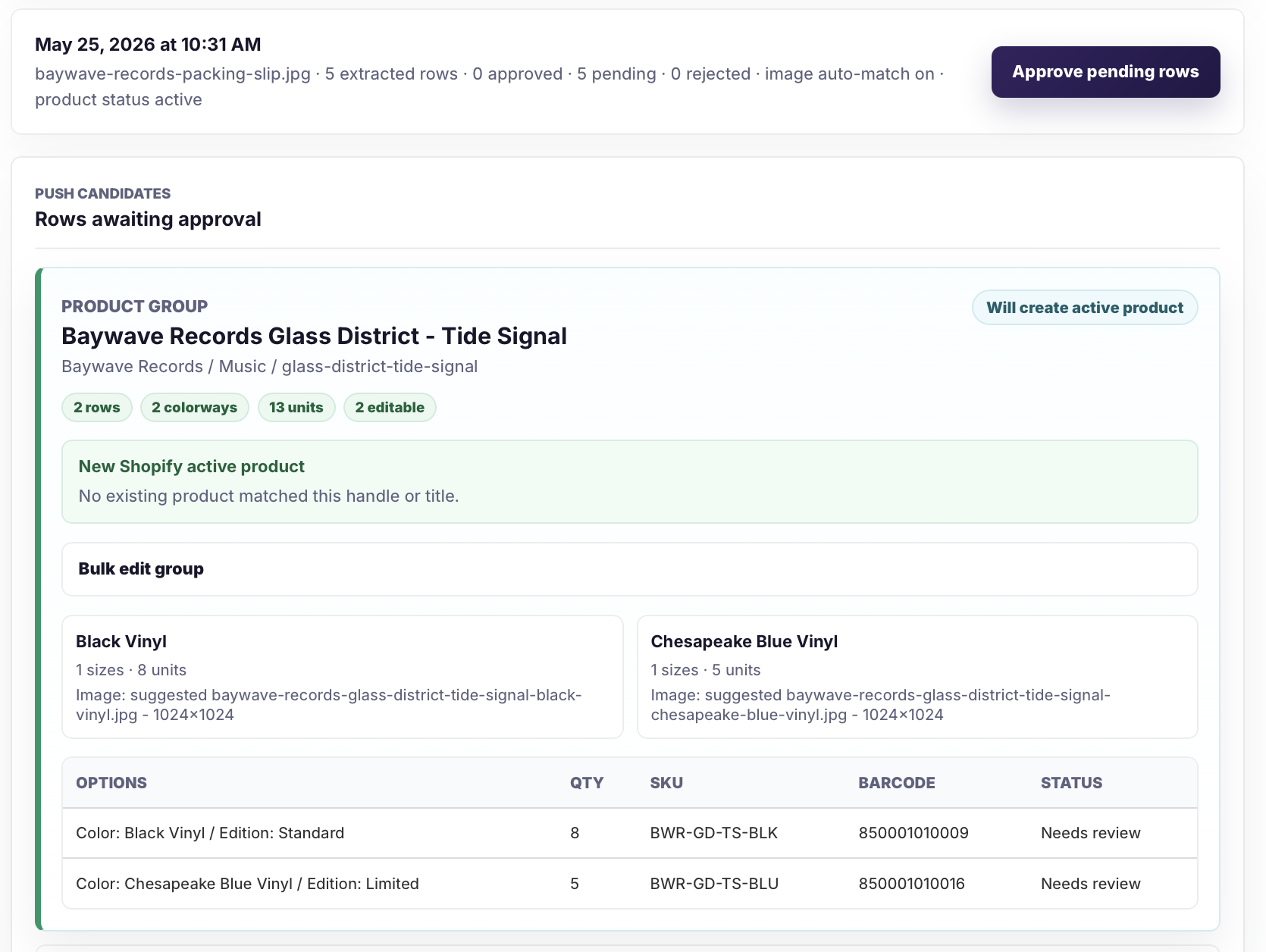
Suggested images can appear beside grouped products and variants before the batch is approved.

Approved image matches can help draft or active Shopify products avoid missing product media.
Safeguards
A suggested image should help review, not create a surprise product media change.
Related pages
FAQ
Yes. Existing Shopify Files can be suggested when filenames, alt text, product titles, vendors, SKUs, or variant details line up with the supplier row.
It prepares suggestions for Review. Merchants approve image choices before products or updates are pushed.
Supplier image URLs can be used as image signals when present in CSVs, Excel files, product sheets, or other supplier sources.
Upload the supplier file, review the image suggestions, and approve only the product media that belongs with the Shopify product.