1. Scan the connected Shopify catalog
Catalog Intake reads existing product organization such as suppliers, vendors, product types, tags, options, images, barcodes, and collections.
Store Profile Scan for Shopify imports
Catalog Intake learns how your Shopify catalog is already organized before it processes supplier PDFs, packing slips, invoices, CSVs, Excel files, and product photos. Existing vendors, product types, tags, images, barcodes, variants, and collections become review context for cleaner Shopify products, inventory updates, images, and tags before push.
Workflow
Supplier files rarely use the same language as a finished Shopify catalog. The Store Profile gives Catalog Intake context before it prepares rows for Review.
Catalog Intake reads existing product organization such as suppliers, vendors, product types, tags, options, images, barcodes, and collections.
Imported PDFs, invoices, packing slips, CSVs, Excel files, and photos are interpreted against your existing Shopify patterns.
Merchants review titles, variants, identifiers, tags, image matches, and inventory behavior before Shopify is changed.
Example
A supplier file may say THEORIES OF ATLANTIS INC while Shopify uses Theories. The Store Profile helps surface that existing vendor pattern so the merchant can review the cleaner Shopify value instead of creating another vendor spelling.
Proof
The scan is useful because it turns existing Shopify catalog structure into import guidance, not because it guesses blindly.
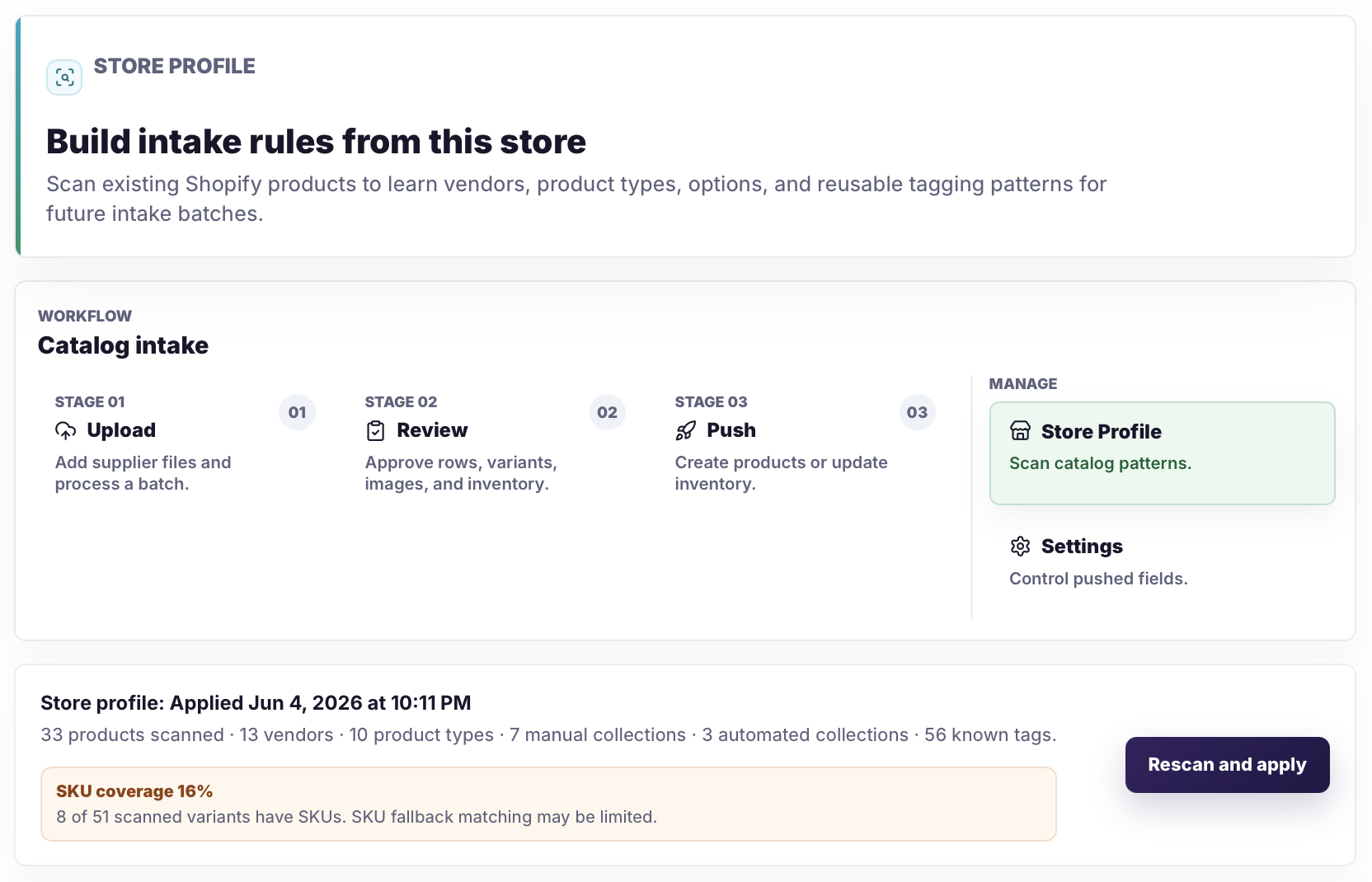
Store-learned vendor names make it easier to normalize supplier labels during Review while still giving the merchant the final decision.
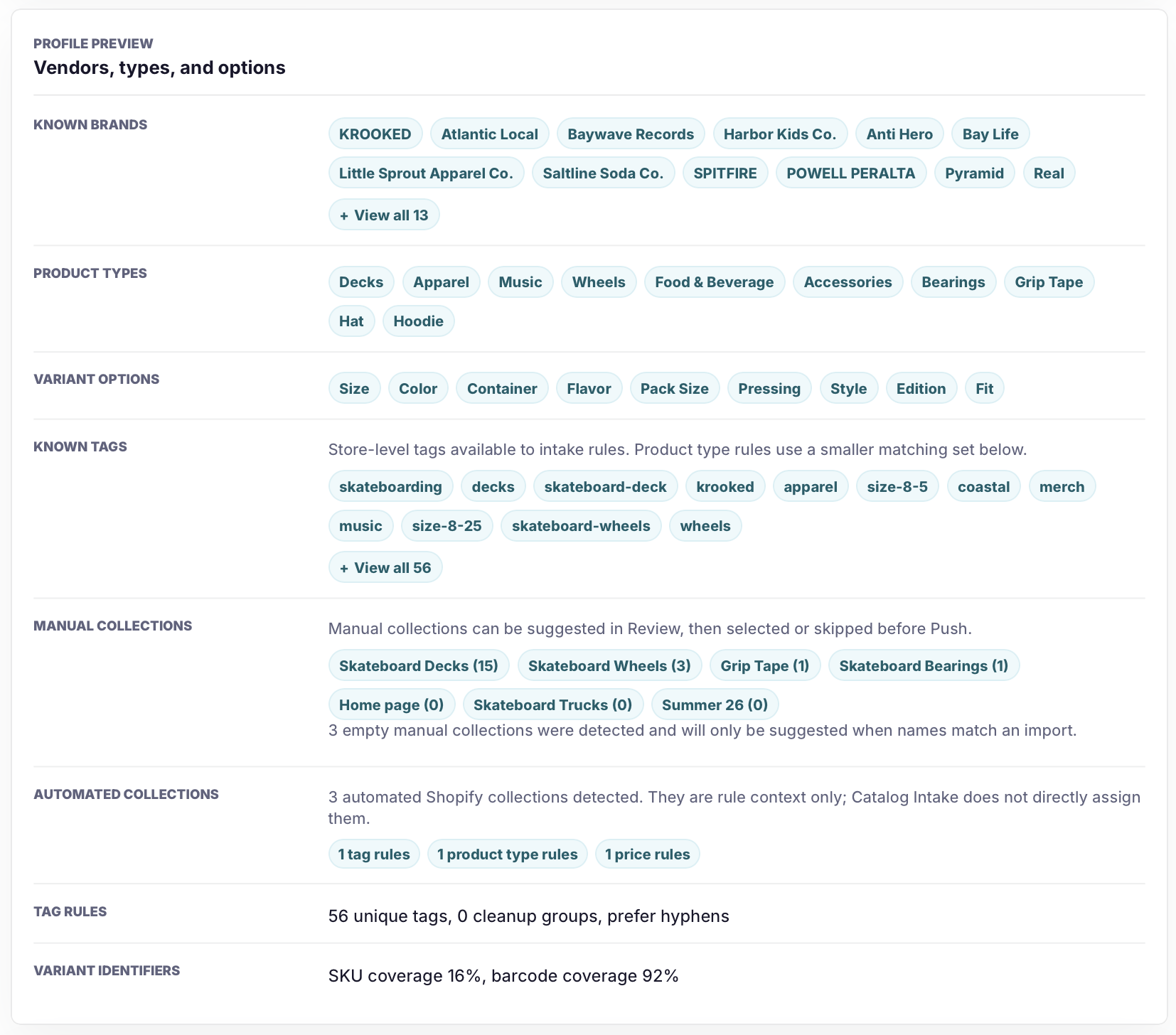
Existing tags, variant options, image naming patterns, and collection membership become context for safer product preparation.
Safeguards
The Store Profile is context for review. It is not an automatic merchandising rewrite.
Related pages
FAQ
No. The Store Profile gives Catalog Intake context for Review. Merchants still approve product, tag, image, and inventory changes before push.
Yes, collection membership can be used as review context. Catalog Intake does not directly assign automated collections or create collections.
A scan helps imported rows follow existing Shopify patterns for vendors, product types, tags, options, images, and barcodes instead of treating each supplier file as isolated.
Start with the Shopify catalog you already have, then upload the supplier file and review every prepared product, identifier, image, tag, and inventory update before push.