1. Upload the supplier file you already have
Start from the PDF, packing slip, invoice, CSV, Excel file, product sheet, or photo instead of rebuilding a Shopify CSV by hand.
Supplier file imports for Shopify
Catalog Intake turns supplier PDFs, packing slips, invoices, CSVs, Excel files, and product photos into reviewed Shopify products, variants, images, barcodes, inventory updates, tags, and draft products before push.
Workflow
Catalog Intake is built around a review-first import workflow so supplier messiness does not go straight into Shopify.
Start from the PDF, packing slip, invoice, CSV, Excel file, product sheet, or photo instead of rebuilding a Shopify CSV by hand.
Check products, variants, titles, barcodes, SKUs, prices, images, tags, product types, and inventory actions.
Create draft products, update matched inventory, or push approved product data only after review.
Example
A messy supplier CSV can become grouped Shopify products with variants, SKU and barcode fields, image suggestions, tags, product types, inventory quantities, and push readiness. Rows that need cleanup remain visible instead of becoming silent catalog errors.
Proof
Different supplier files need different review details, but the workflow stays consistent.
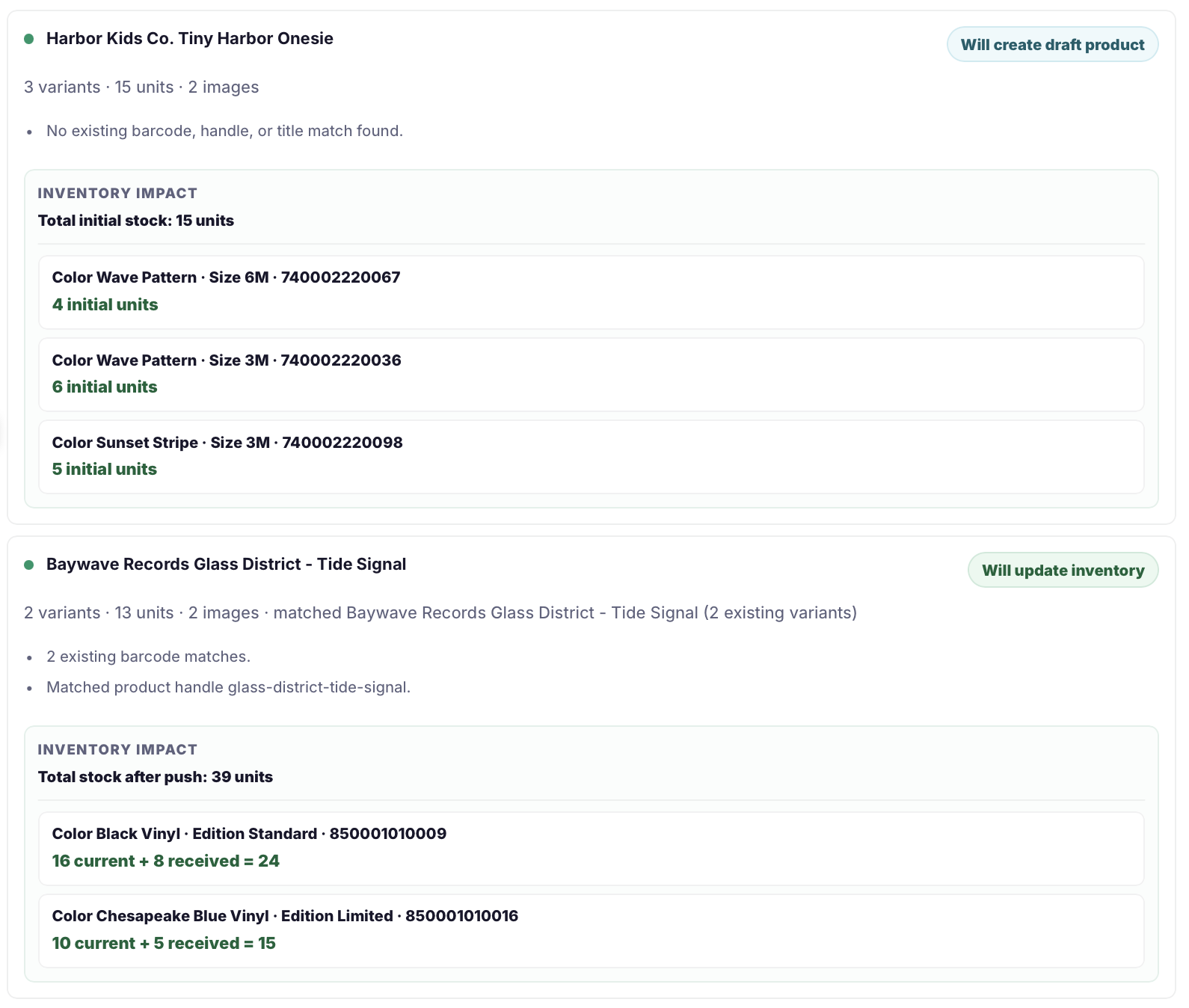
Supplier spreadsheets can be normalized into reviewed Shopify product groups and inventory decisions.
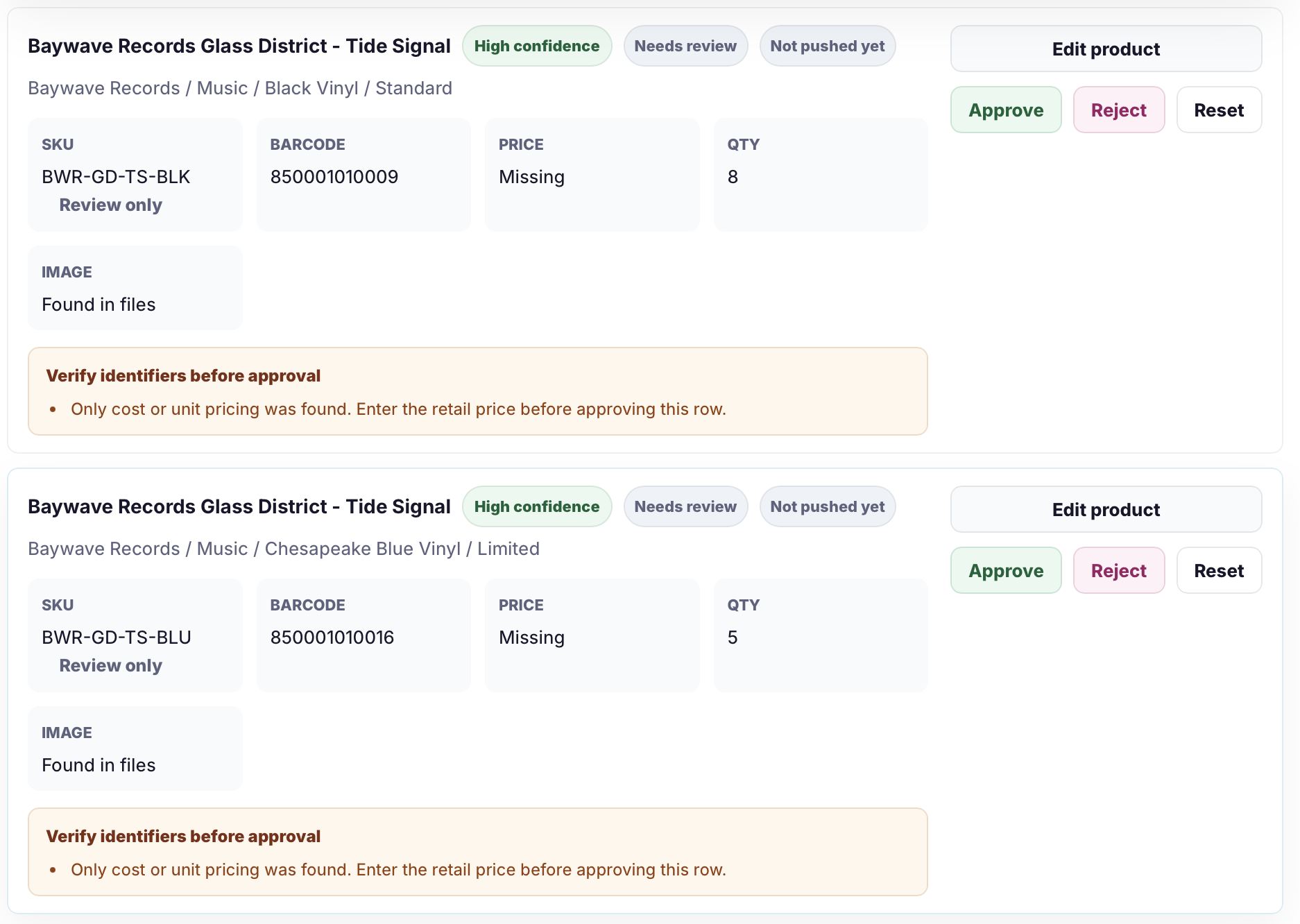
Packing slips and shipment photos can prepare received inventory, product rows, and review warnings.
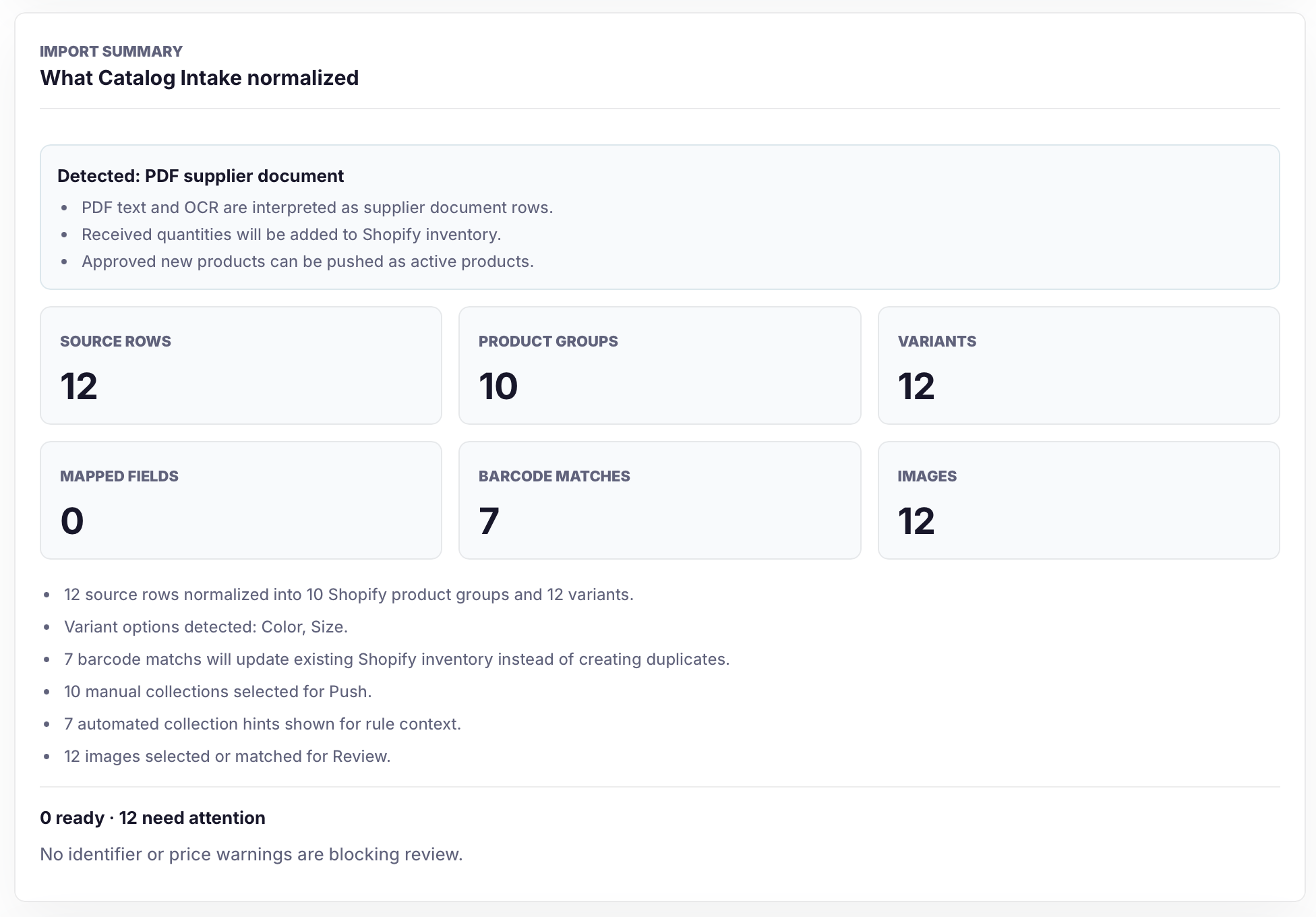
Catalog Intake summarizes source rows, product groups, variants, barcode matches, images, manual collections, and automated collection hints before push.
Safeguards
Supplier files can be incomplete or inconsistent, so Catalog Intake keeps important decisions visible.
Related pages
FAQ
Catalog Intake supports supplier CSVs, Excel files, PDFs, invoices, packing slips, product sheets, line sheets, order sheets, and readable product or shipment photos.
No. Catalog Intake is review-first. Merchants review prepared products, variants, tags, images, barcodes, and inventory actions before push.
Yes. Approved rows can create draft products, prepare product data, or update matched inventory when the row matches an existing Shopify variant.
Upload the supplier source, review what Catalog Intake prepared, then push only the Shopify products or inventory updates you approve.